The Digital Camera Lucida toolset for Realist Artists
Trace references with a transparent overlay, correct perspective, study values, mix colors, and draw with customizable grids. Runs in your browser with no login required.
Free to use • 30-day Pro trial available • Privacy-first
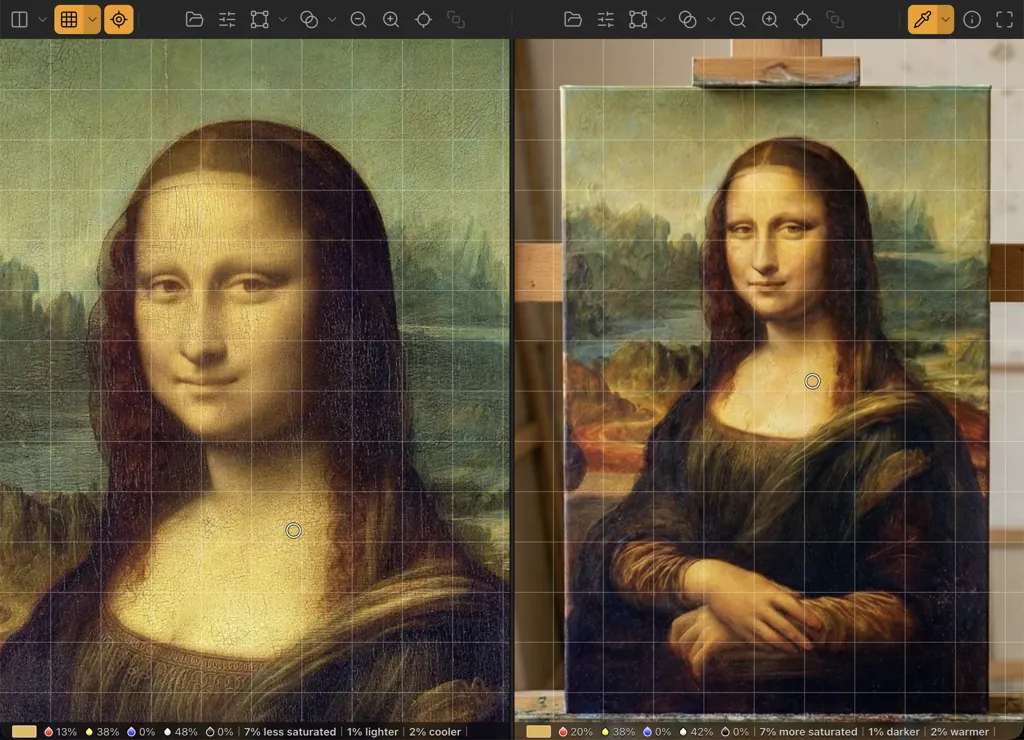
"See accurately. Draw confidently."
Master Your Values
Designed for the specific needs of classical realism and value study, stripping away color and complexity to reveal the structural light and shadow.
Live Input & Sources
Obscura Perspective
Perfect Privacy
Adjustments & Filters
Smart Color Engine
Smart Grid Systems
Real-time Perspective Correction
Connect webcams or load images. Select any region to automatically crop and rectify perspective in real-time. Just mount your camera and adjust the corners to align. Perfect for fixing angled shots of your canvas or subject instantly.
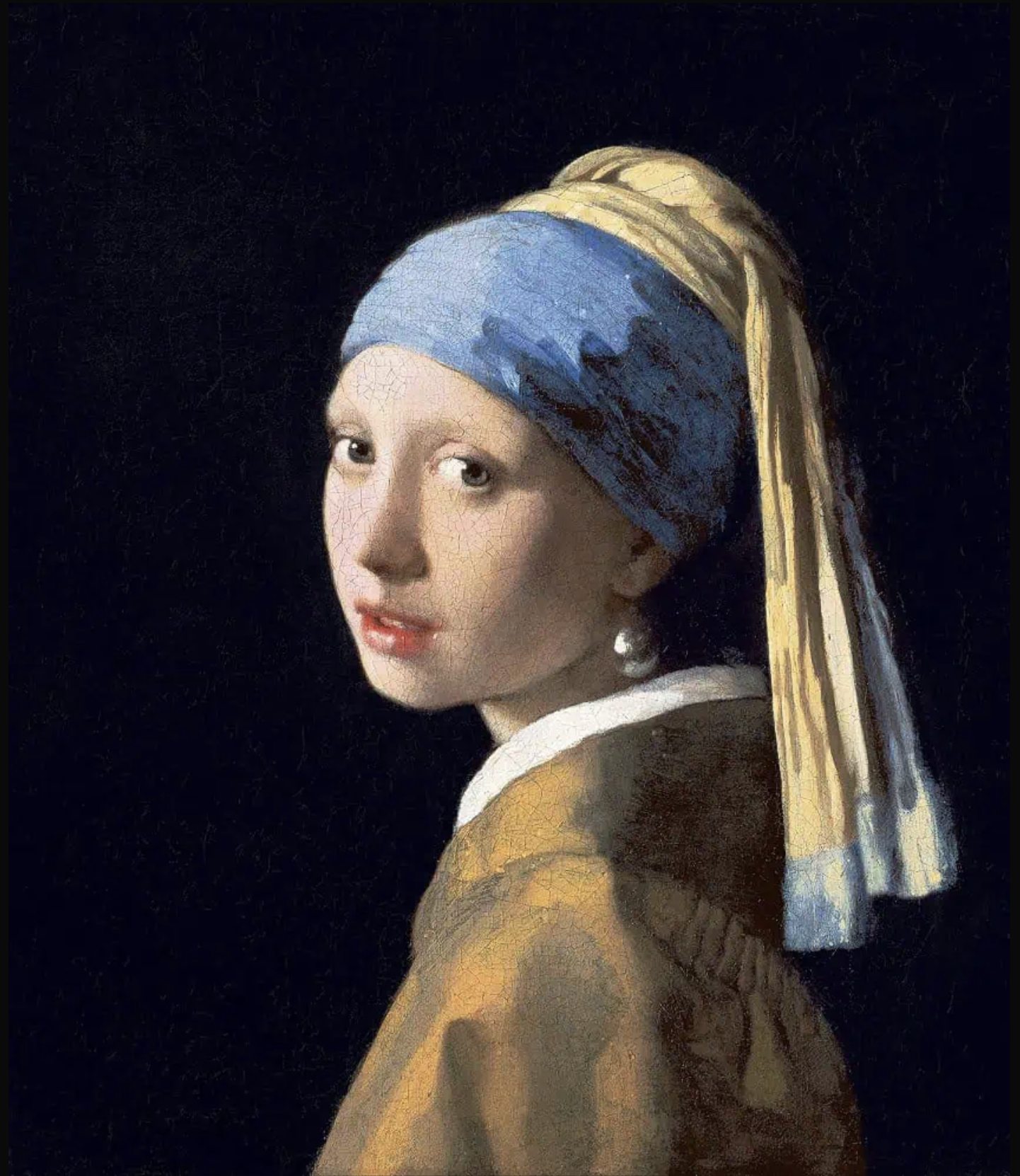
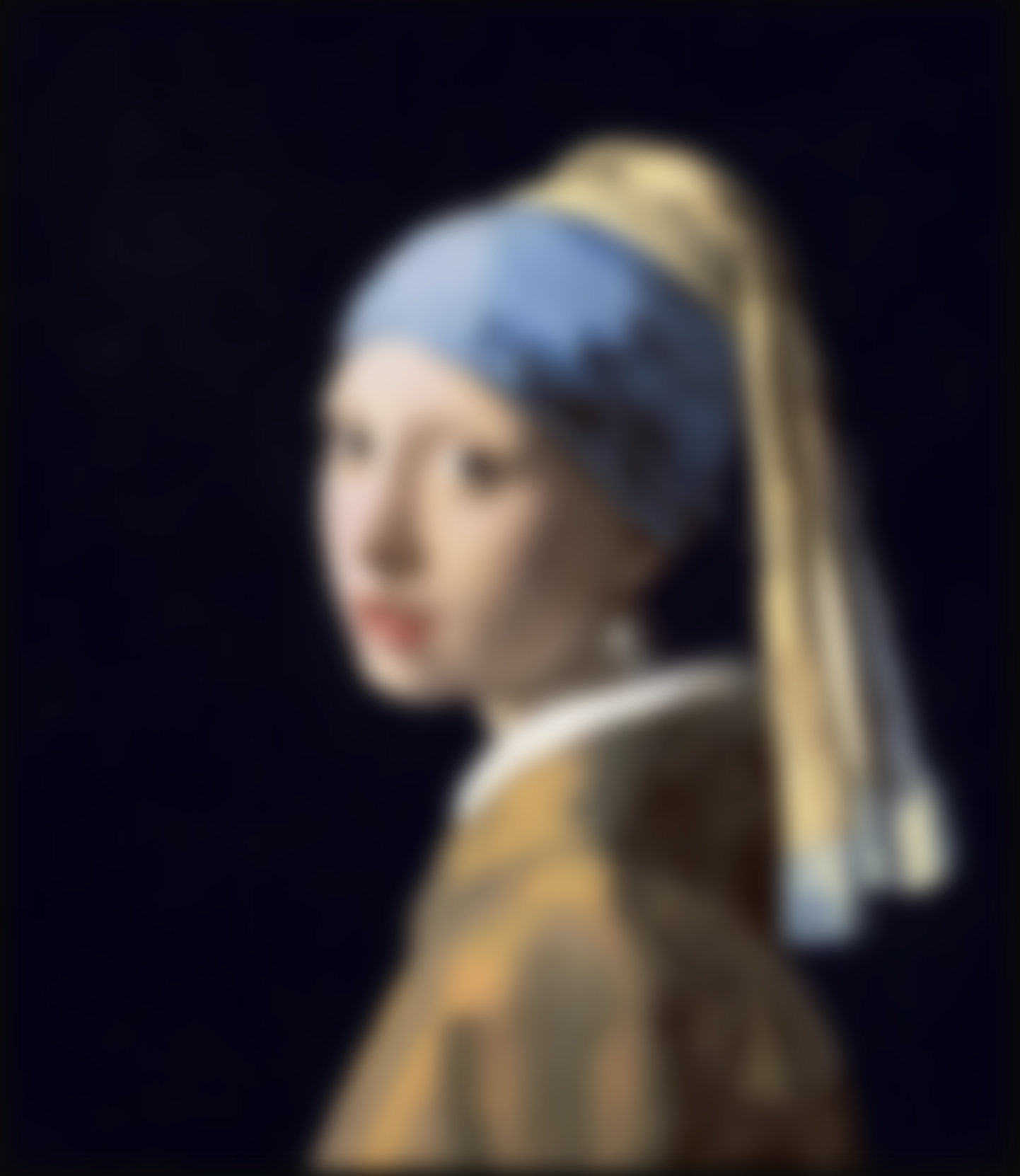
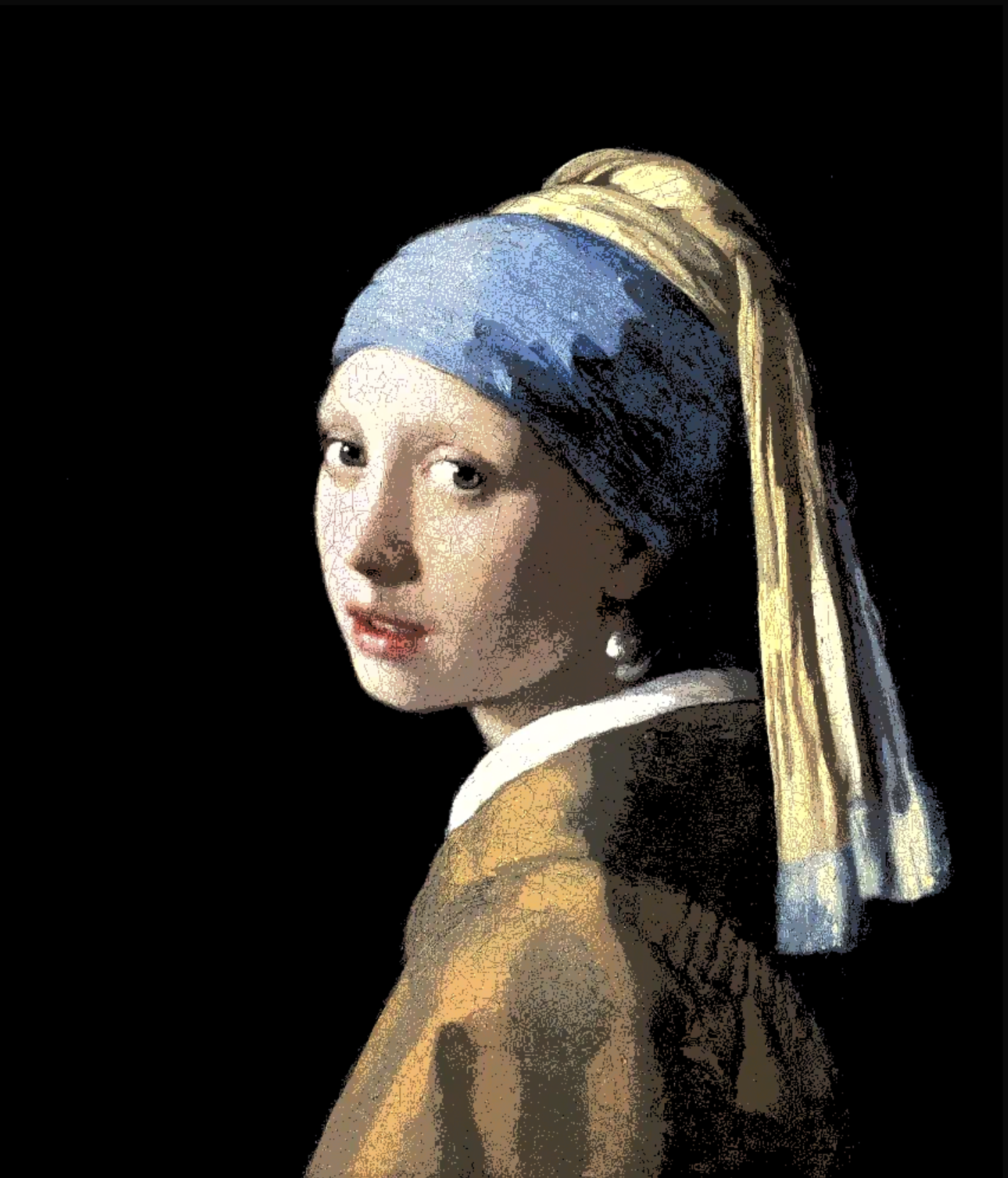
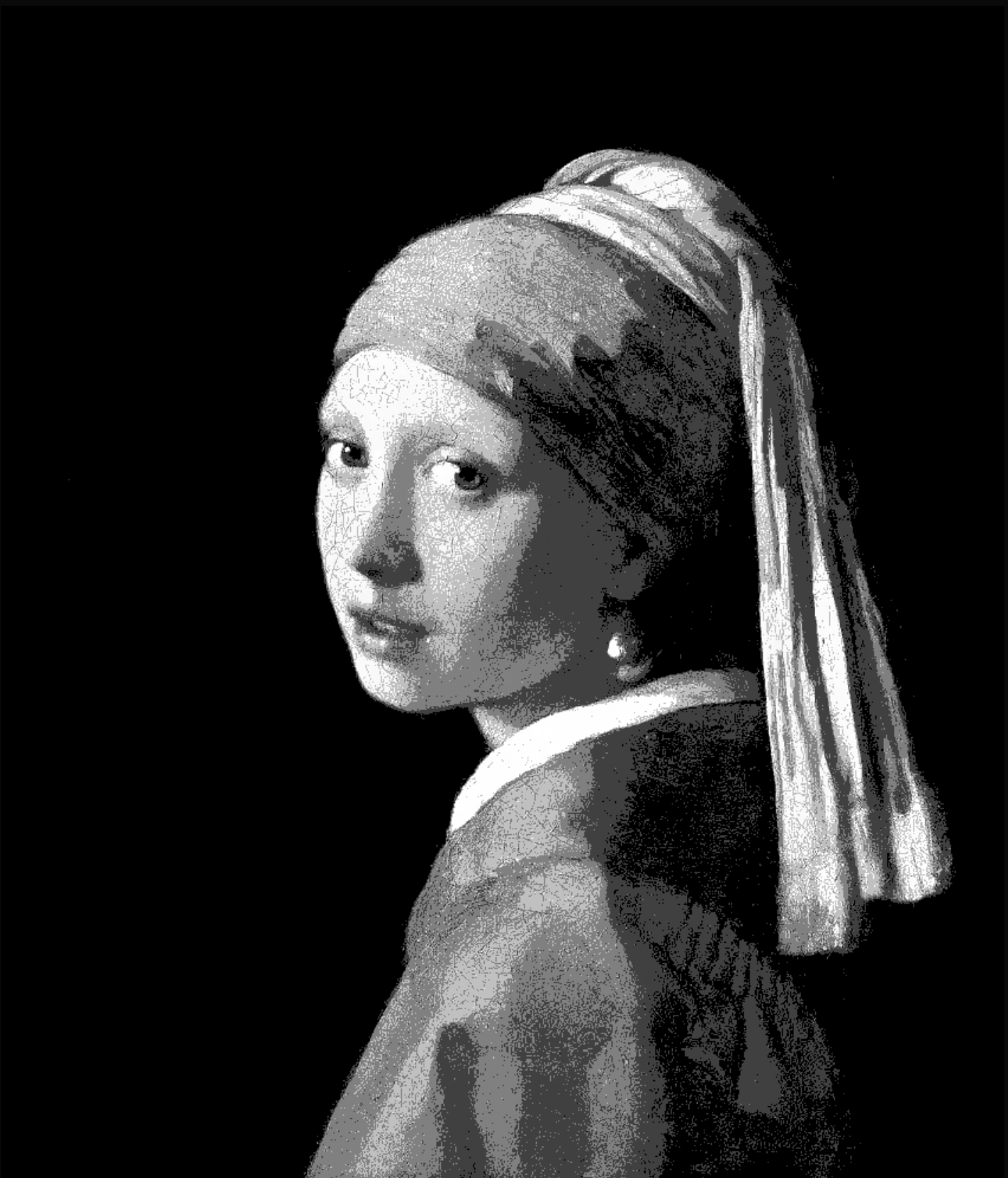
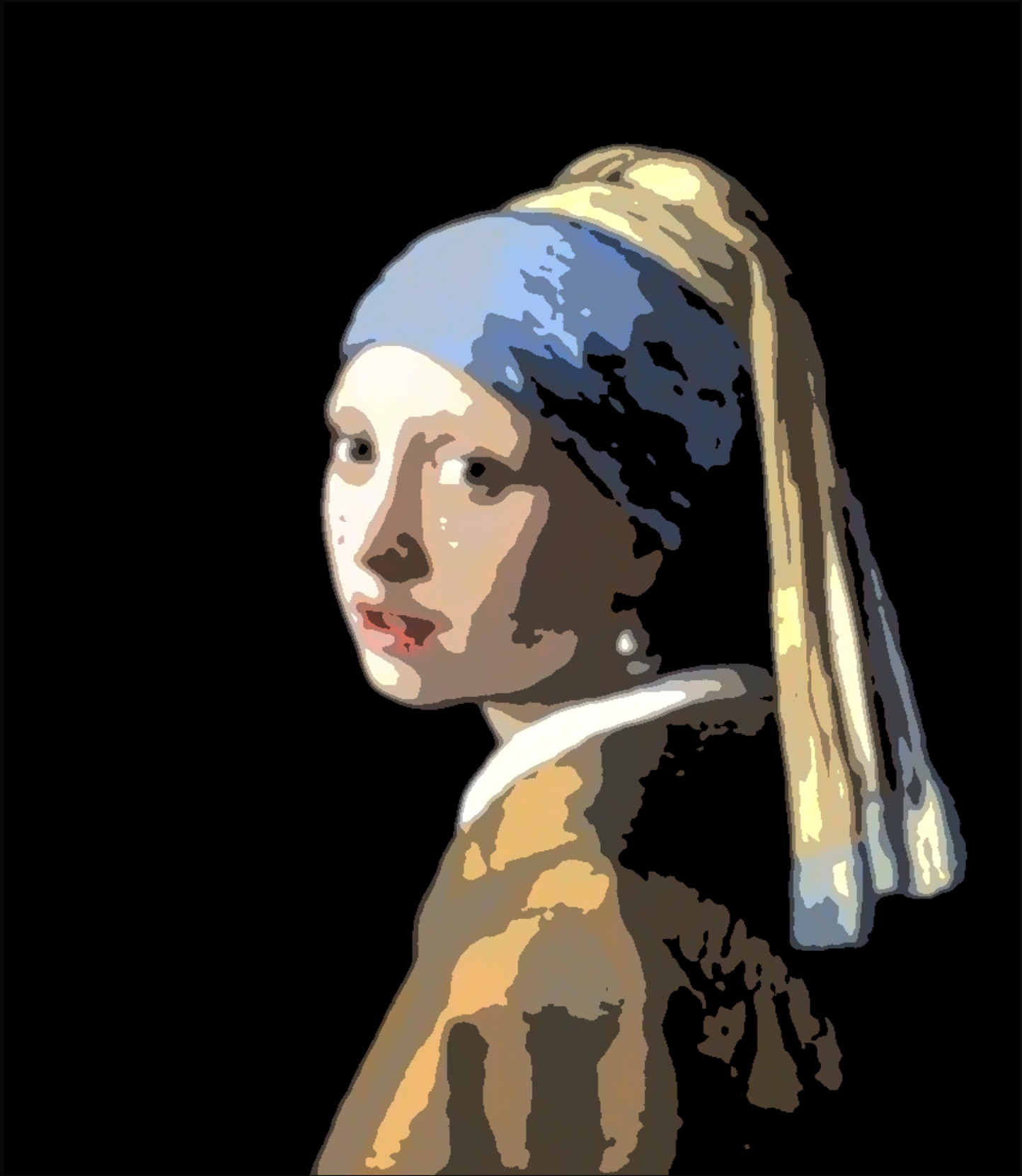
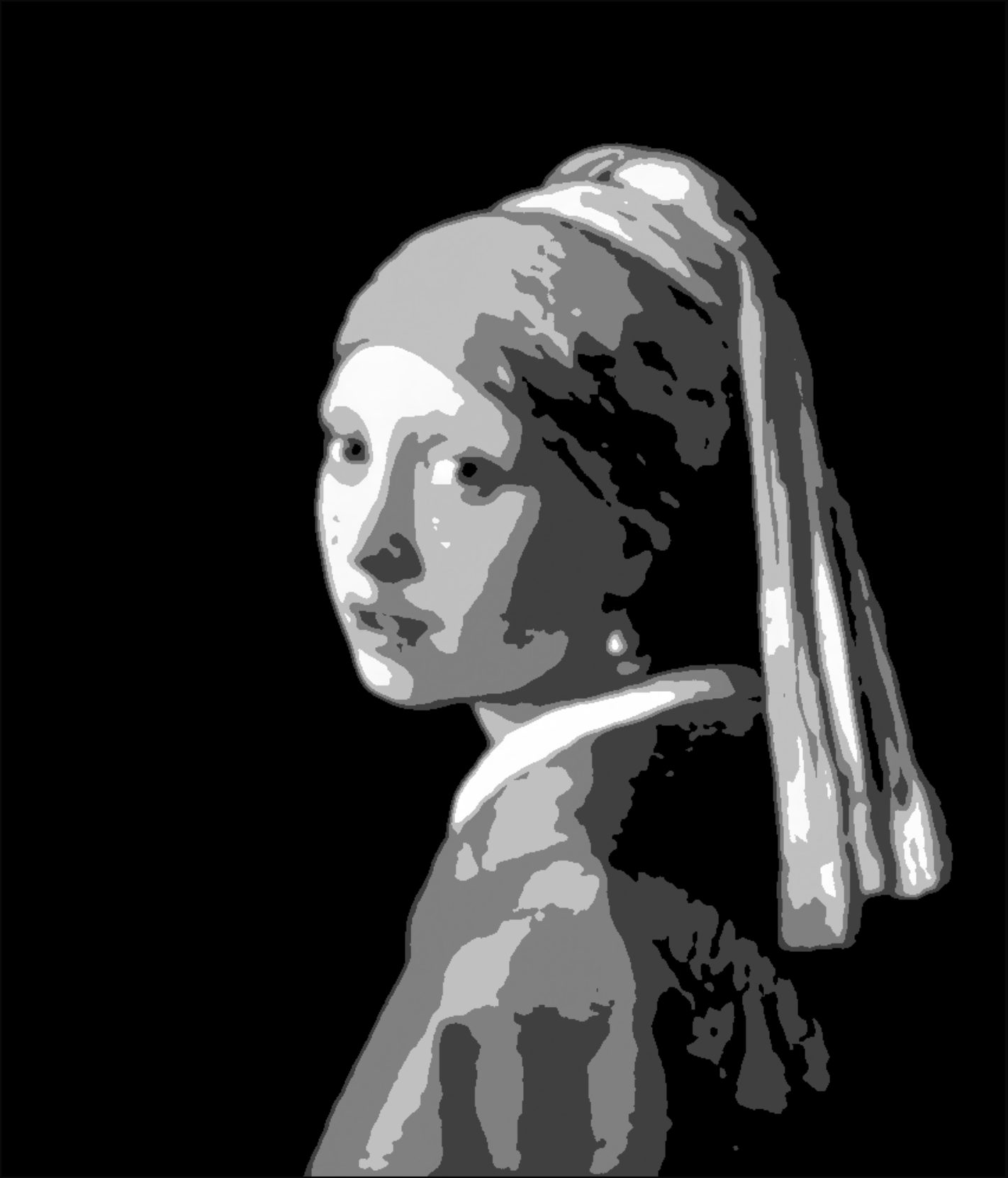
See the Structure,
Ignore the Noise.
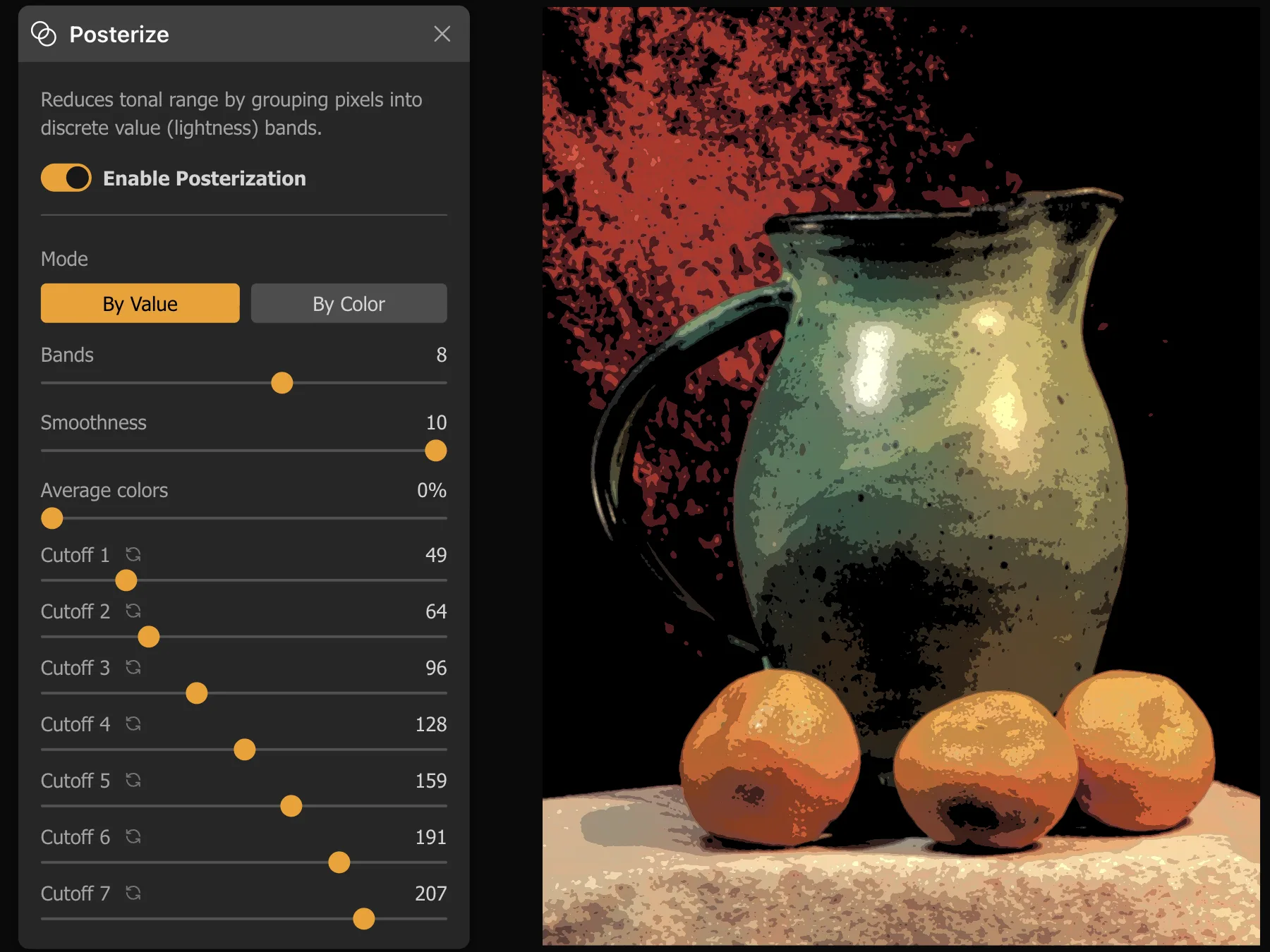
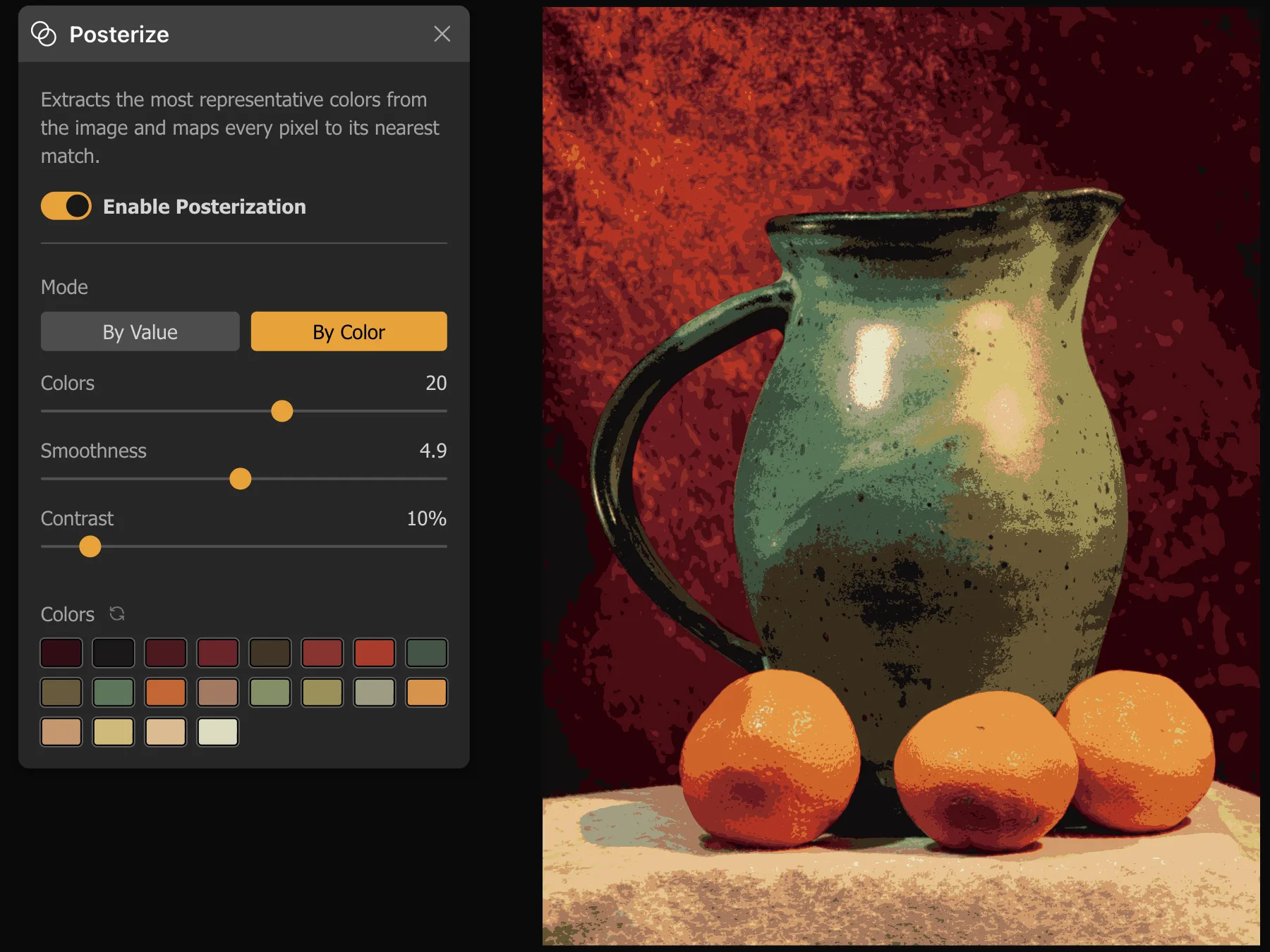
Fine-tune your reference with brightness, contrast, and saturation controls. Then, use our Luma-based grayscale, blur, and posterization filters (up to 12 bands) to "squint digitally" and reveal the essential forms.
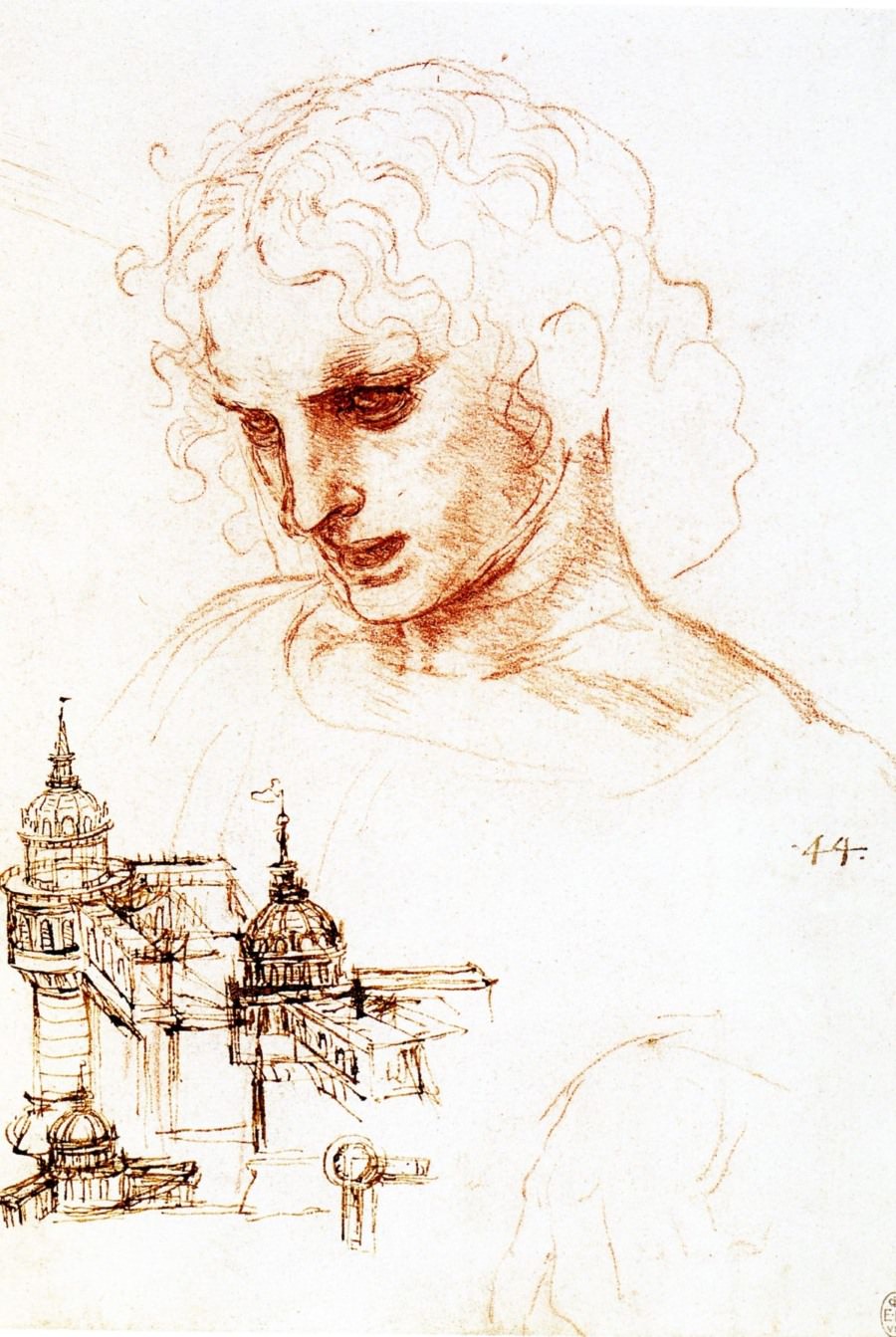
Make Your Canvas Transparent
For tracing, the canvas is placed directly over the reference image and is made semi-transparent. But since that reduces visibility, Lucida offers specialized overlay blending modes for drawings, making only your surface transparent and your drawing easier to see. This even works with live video input!
Smart Overlay Modes
Three specialized blending modes for different media:
- Transparent Lights: Makes light areas transparent. Best for dark charcoal on light paper.
- Transparent Darks: Makes dark areas transparent. Best for white pencil on black paper.
- Normal: Standard opacity control for paintings and general use.
Skin Tone Study
Compare & Mix
with Confidence
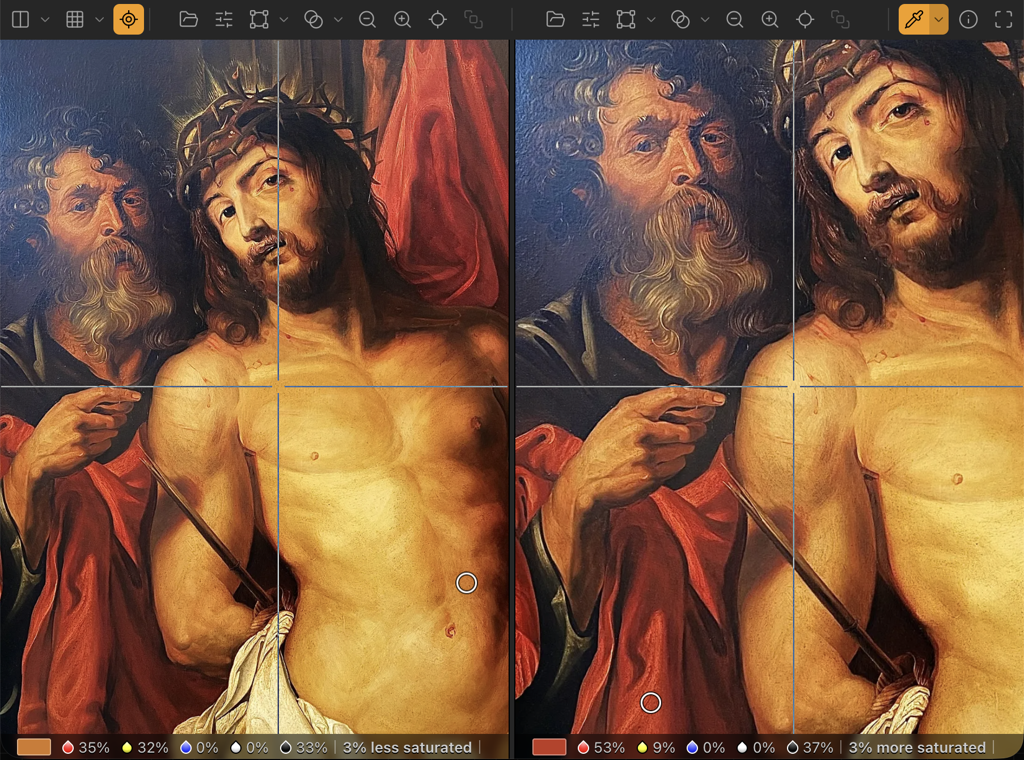
Stop guessing your colors. Select pixels from both your reference and your painting to analyze the difference immediately.
Comparison Engine
See exactly how much lighter, darker, warmer, or more saturated your mix is.Toggle between single-pixel precision or area averaging to eliminate noise.
Paint Recipes (RYBWK)
Get an approximate mixing recipe based on primary colors (Red, Yellow, Blue) plus White and Black to match your target hue.
Closest Artist Pigment
The color picker identifies the nearest traditional artist pigment — cadmium red, ultramarine blue, yellow ochre, and more — using perceptual color distance, so you know which tube to reach for.
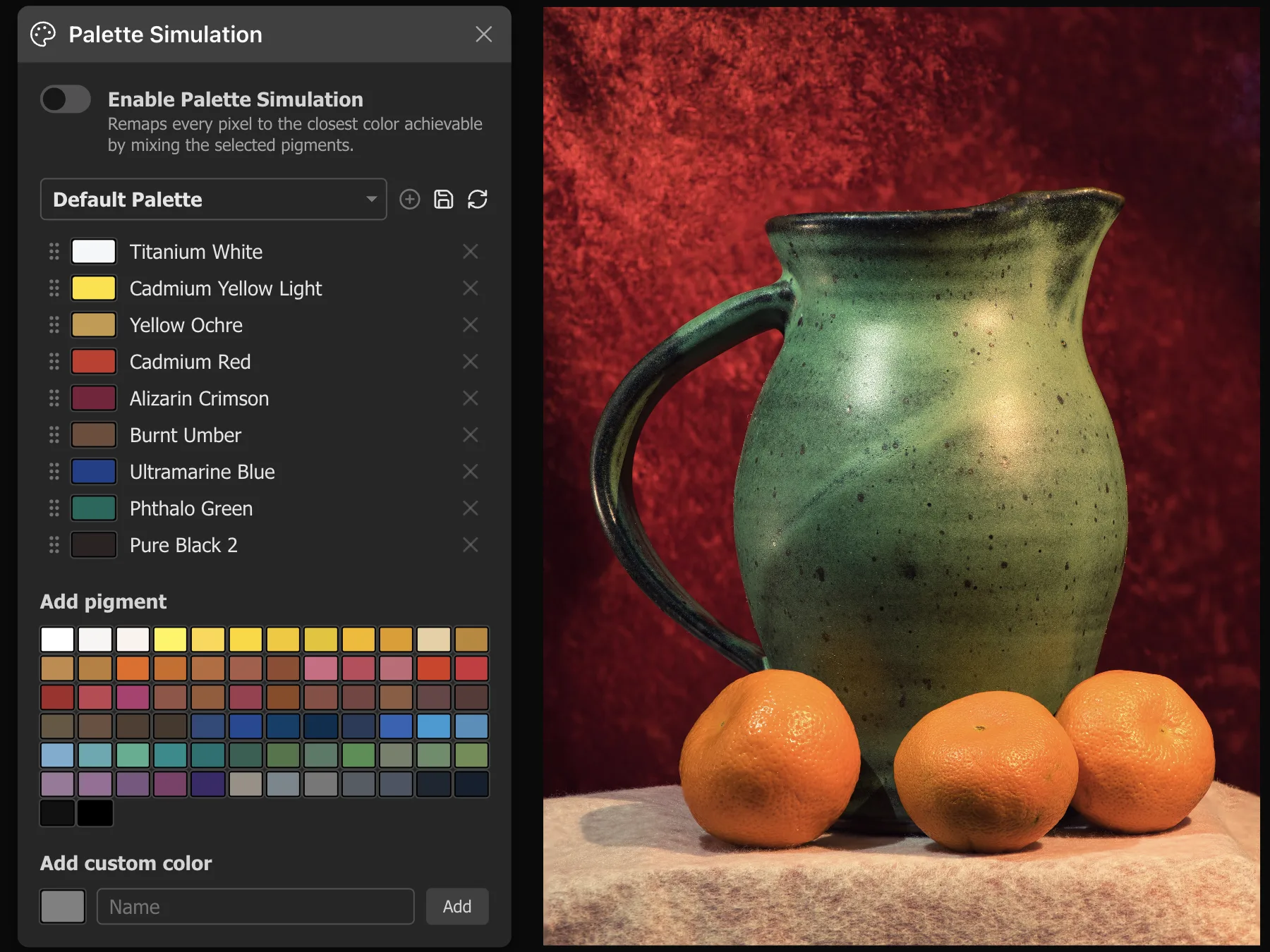
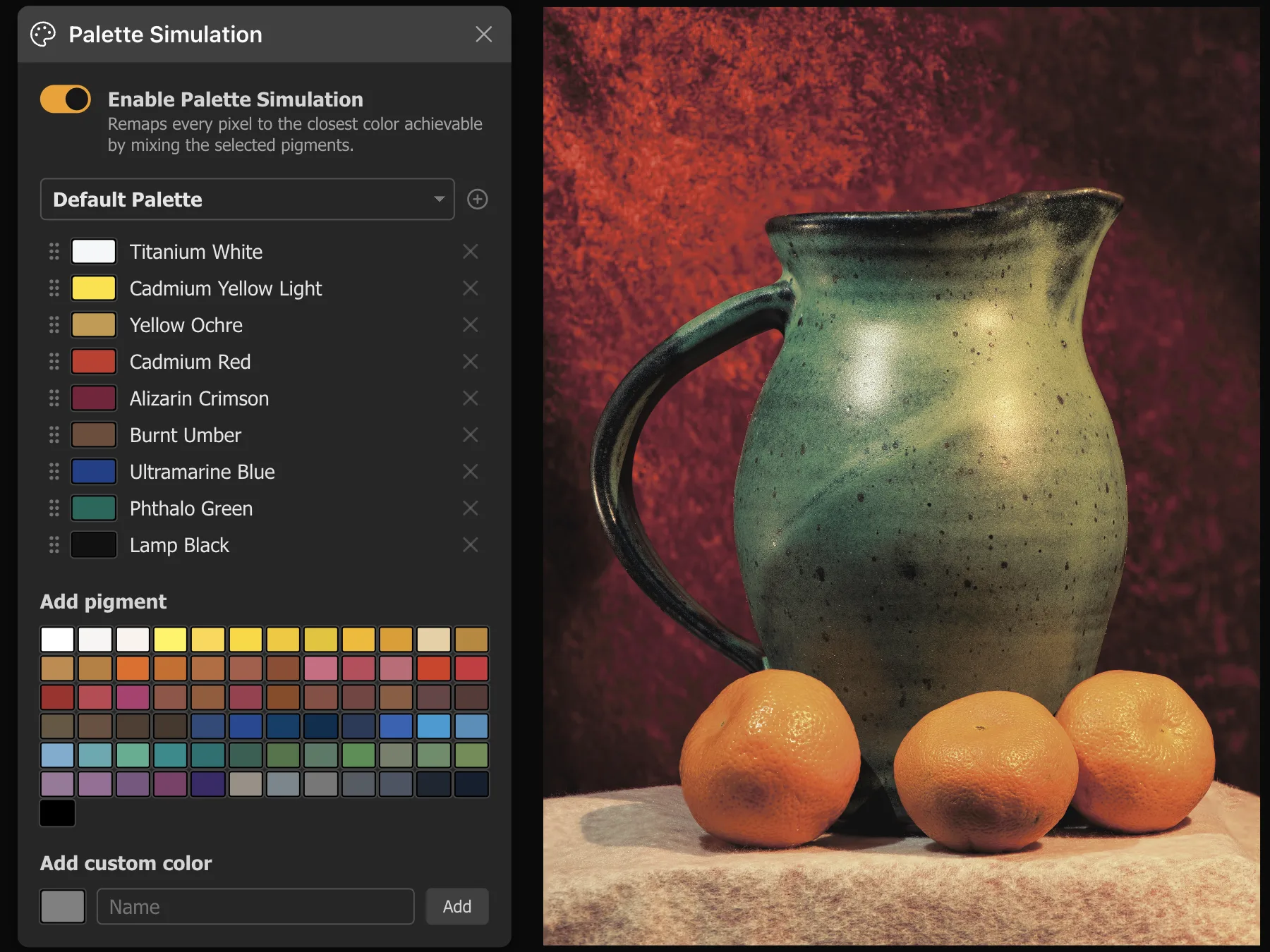
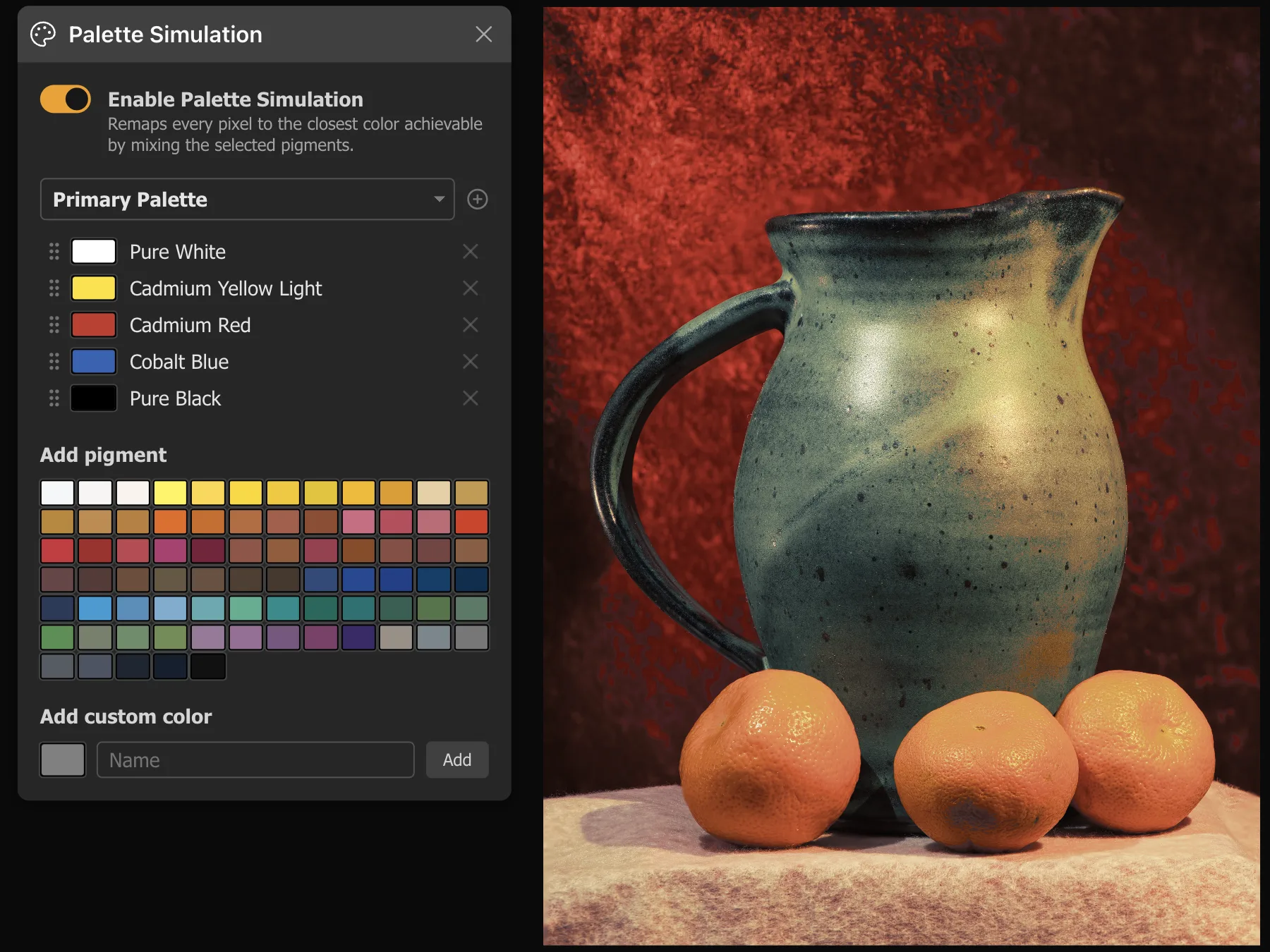
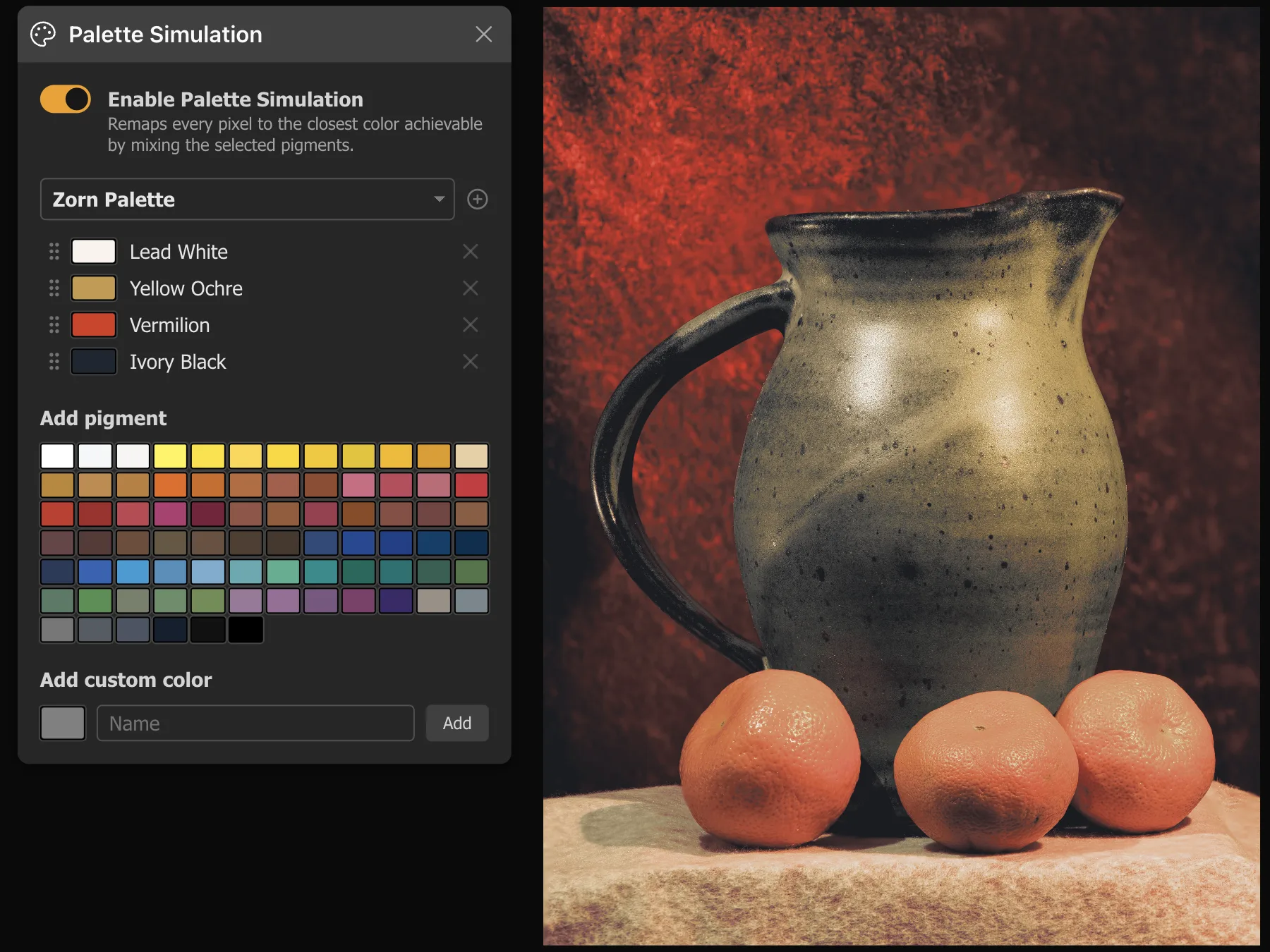
Paint What Your Palette Can Mix
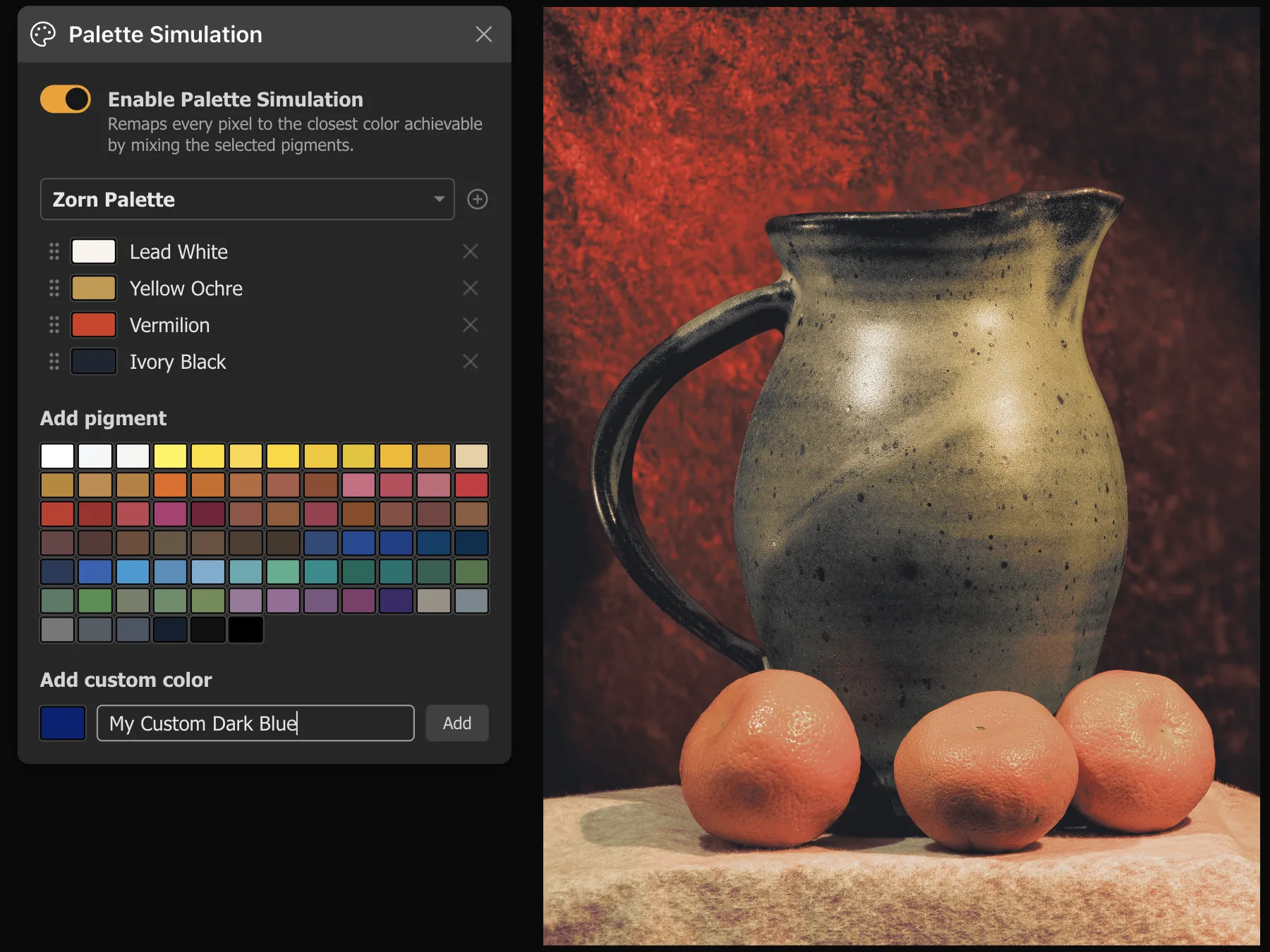
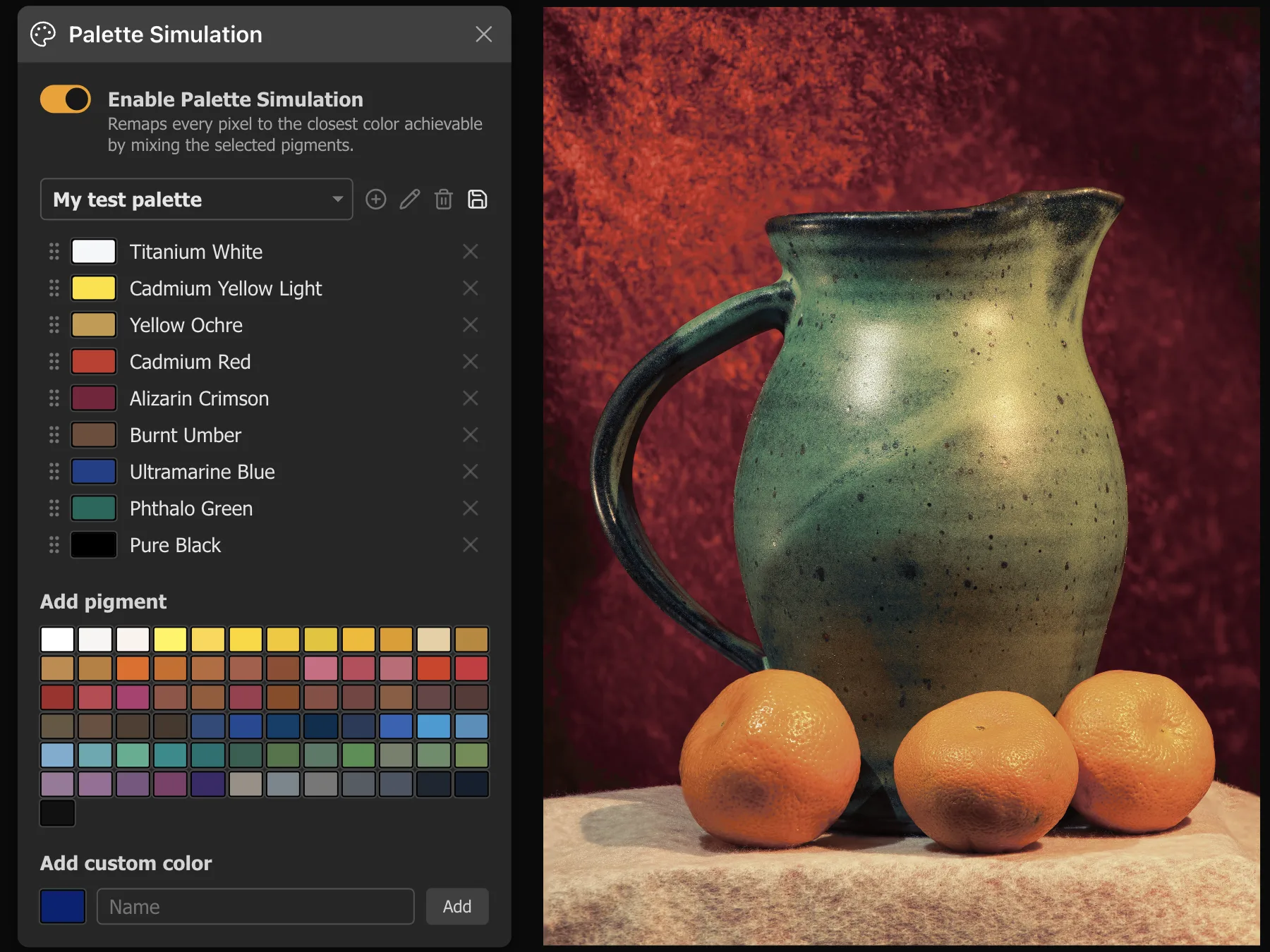
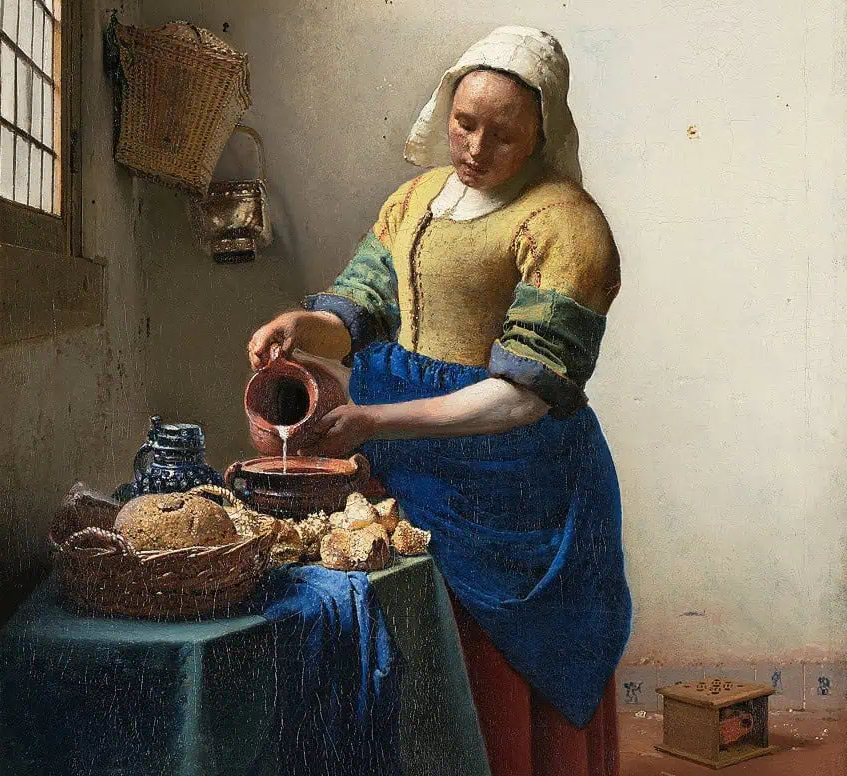
Load your reference, select the pigments on your physical palette, and see the image remapped to only the colors those paints can mix — before you pick up a brush. Every pixel is mapped to the closest achievable mixture, so you can see exactly where your gamut falls short and where it holds up.
Read more in the manualBuilt-in palettes to start
Includes the Zorn Palette (4 colors), a Primary triad (5 colors), and a general-purpose Default (9 colors). Build your own from a library of ~109 traditional artist pigments or enter any custom color.
Physically accurate mixing
The algorithm finds the optimal blend of your pigments for each pixel using OKLab color space — the same model that governs real subtractive mixing. Colors outside your gamut shift toward neutral rather than inventing impossible hues.
Precision Grid Systems
For artists who rely on the grid method, Lucida offers unparalleled control. Customize grid density, opacity, and color, or use our smart Auto-Invert mode to ensure visibility against any background.
Local Grids
Render on top of images and follow their zoom, pan, and rotation. Ideal for maintaining aspect ratios.
Global Grids
Render on top of everything and remain fixed. Perfect for checking composition.
Achieve Perfect Alignment
Check your proportions with our Crosshairs Ruler. This simple tool renders precise guides over both your reference and canvas views simultaneously. Combined with drag-and-drop and smooth zooming centered at the cursor, you can easily align key features.
- Instant measurement of angles and intersections.
- Align features perfectly across different aspect ratios.
Stay in Sync, Always
Zoom in to inspect a detail on your reference and your canvas follows. Pan to a corner and both images move as one. Image Synchronization keeps every transform locked between the two panes so you never lose your place.
What gets synced
Zoom, pan, rotation, and flip are all locked together. The relative scale difference you set up between the panes is preserved — synchronisation maintains that ratio as you zoom rather than forcing both to 100%.
Shared focal point
Both images zoom around the same point — your cursor position or the pane centre — so the detail you are inspecting stays visible on both sides.
Record Your Process
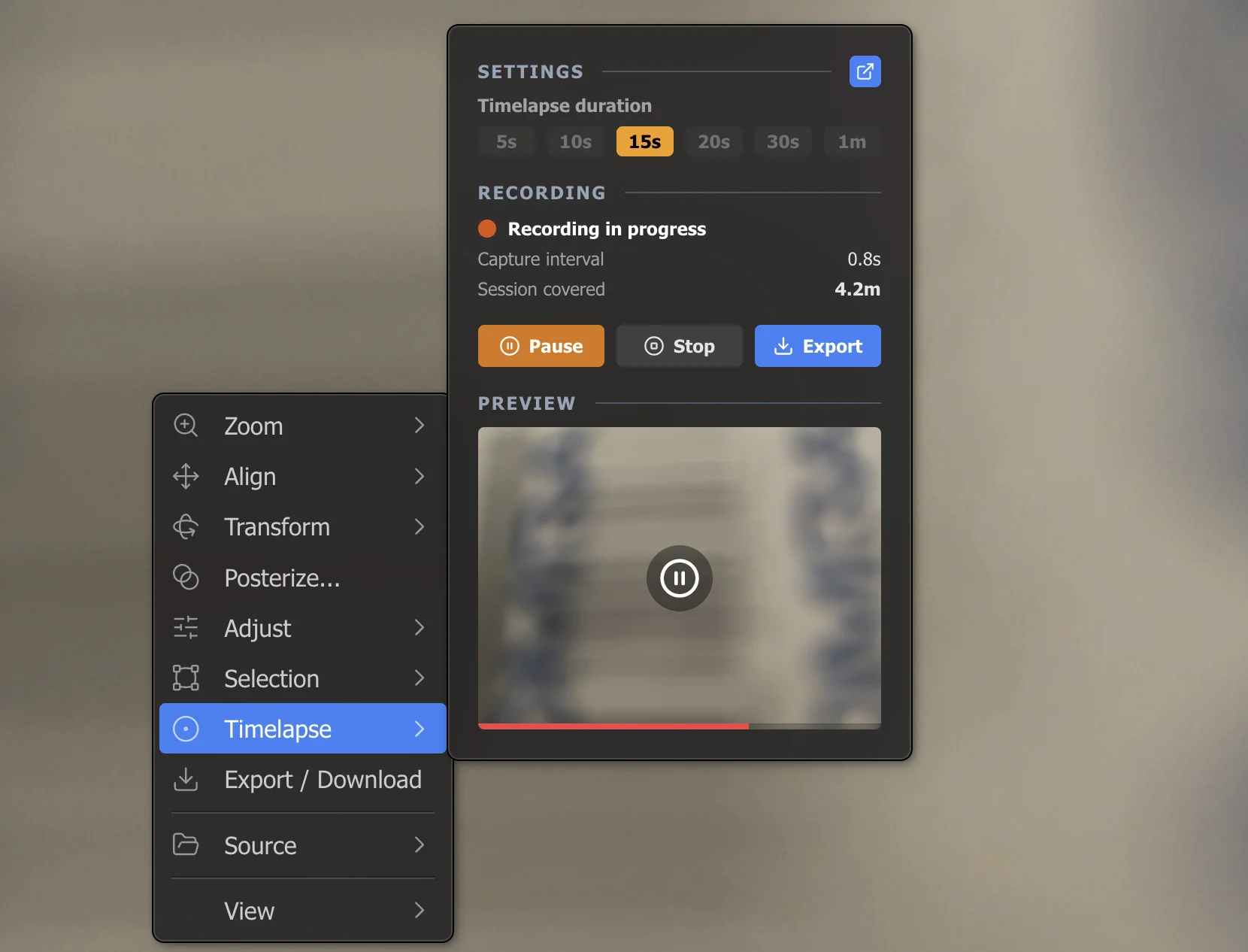
Capture your entire painting session as a compressed video — no extra software, no uploads. The app quietly records frames from your live camera in the background while you work and encodes an MP4 the moment you press Export. Perfect for sharing your process on Instagram, YouTube, or TikTok.
Any session length
The capture buffer adapts automatically: when it fills, the frame interval doubles and earlier frames are thinned out. A day-long session and a one-hour session both export to the same output duration you chose.
Pause and resume freely
Step away, switch tabs, or close the panel — recording survives all of it. The session auto-pauses when the browser tab is hidden and resumes when you return.
Classical References, Built In
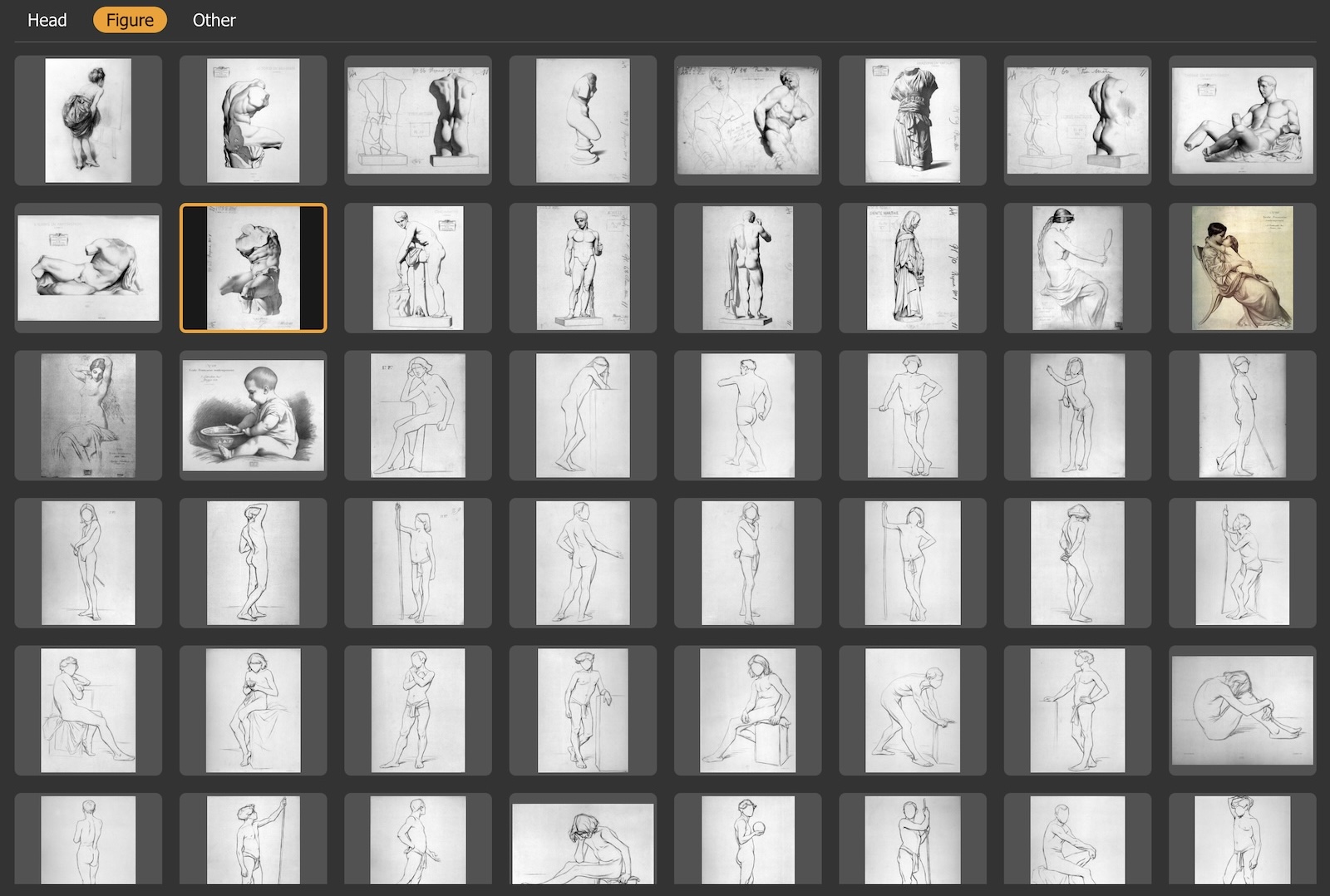
The media library gives you instant access to a curated collection of high-resolution reference material — no hunting for files, no downloads. Open it from the source menu and load any plate directly into a pane.
Bargue Plates
The complete set of lithographic drawing studies published by Charles Bargue in the 1860s — the foundational reference of classical atelier training. Plates are reproduced at high resolution and cleaned for digital use.
Restored across sessions
Library images are remembered between sessions and reload automatically — unlike local files, which browsers block from silent re-reading.
Free Tools for Artists
Standalone tools for studying paintings and references. No login, no upload, runs in your browser.
Notan Maker
Reduce any image to pure light and shadow to study composition.
Value Study
Posterize to 2-8 tonal bands to analyze value structure.
Focal Point Heatmap
See where the eye is drawn first in any painting or photo.
Temp Map
Visualize warm and cool temperature distribution across an image.
Composition Grids
Overlay rule of thirds, golden ratio, spiral, and more.
Edge Detection
Reveal the edges and underlying structure of any composition.
Ready to go Pro?
Unlock the Bargue Plates library, session save & restore, source auto-reload, and higher performance limits — for $24/year.
Get Pro — $24 / yearTry free for 30 daysSee what's includedSupport Free Art Tools
All of Lucida's core tools are free — no account, no payment, no time limit. If it's been useful to you, a coffee goes a long way.
Buy me a Coffee